SUGCON Europe 2026 — SitecoreAI, Security, and the New Developer Experience
SUGCON Europe 2026 brought the Sitecore community to London for what turned out to be one of the most technically rich editions of the conference yet. Over the course of the day, three parallel tracks — the main Victoria Suite stage, a Customer Showcase sponsored by Alpha Solutions, and a Marketing Breakout sponsored by Americaneagle.com — ran back to back with a lineup that covered MCP, agentic workflows, migration architecture, post-quantum cryptography, web security, AI-driven developer experience, and the full future roadmap of SitecoreAI.
What follows is a session-by-session recap of everything that was covered across all three tracks. The theme was unmistakable: SitecoreAI is no longer a roadmap item — it is here, and the community is already building with it at full speed.

MC-what-the-P-is-that, and how does it relate to Sitecore — Morten Ljungberg
Morten Ljungberg, Sales Engineer at Sitecore, opened the main stage with a session that answered the question on everyone's lips: what actually is MCP, and why should Sitecore developers care?
MCP — the Model Context Protocol — was introduced by Anthropic in November 2024 to solve the "M × N problem": when you have M different AI tools and N different AI clients, each needing its own bespoke integration, complexity explodes. MCP solves this with a single open standard. Think of it as USB for AI tools — any MCP server can plug into any MCP host without custom integration work for each pair.
The architecture is a classic client-server model: an MCP Host (Claude, Cursor, VS Code) communicates over a standard protocol with an MCP Server that exposes Tools, Resources, and Prompts. Servers can run locally or in the cloud and can be off-the-shelf or fully custom-built.
Sitecore currently ships three publicly available MCP services:
- Marketer MCP — 42 tools that translate marketer intent into Sitecore actions: creating pages, managing assets, updating content fields, querying sites. Available inside Sitecore Marketplace apps for conversational interaction with Sitecore data. Connects via OAuth (Google / GitHub).
- Documentation MCP — A single search tool that queries the entire Sitecore knowledge base and returns precise, field-level answers. Highly recommended for developers working with Sitecore AI daily.
- Blocks MCP — Helps developers follow the Sitecore style guide when building Marketplace apps — installing components, buttons, cards, and alerts directly into TSX files.
The live demo showed the Marketer MCP attached as a skill inside Sitecore's agent environment. Prompted in plain language — "List all sites," "Find the Home Node," "Update the Title field" — the MCP selected the right tools from 42 available automatically and returned a direct preview URL to the updated item. No code, no CMS UI clicks.
On the roadmap: a DAM MCP (most-requested by the community, enabling image fields to be filled automatically during page creation), an XM Cloud / XMHD MCP, and a Development MCP that will let developers create components, generate rendering definition items, and hook up everything without ever leaving their IDE.
Key takeaway: MCP is the standardisation layer that lets AI act directly inside Sitecore — for marketers, developers and beyond. The ecosystem is growing fast.

SitecoreAI Development with AI Coding Agents and Vercel — Alex Hawley
Running in parallel with the Customer Showcase and Marketing Breakout at 9:25 AM, Alex Hawley's main stage session explored the full development loop of building SitecoreAI sites using AI coding agents integrated with Vercel. The session walked through how modern AI-assisted workflows — from scaffolding to deployment — are fundamentally changing the speed at which developers can deliver Sitecore projects. Using AI agents at every stage of the pipeline, teams can move from design artefact to deployed component in hours rather than days.
Unifying Four CMS Platforms into One: Path to SitecoreAI & Headless Architecture — Kiran Patil & Sophia Ly
The Customer Showcase track opened at 9:25 AM with Kiran Patil and Sophia Ly presenting a real-world consolidation story: taking four separate CMS platforms and unifying them into a single SitecoreAI headless architecture. The session covered the decision-making process, the migration planning, and the architectural patterns that made it possible to bring disparate content estates under one roof — and what the team learned about content modelling and governance along the way.
How ChatGPT, Gemini & Co. "see" your Sitecore site — Mark Lowe
In the Marketing Breakout at 9:25 AM, Sitecore Architect Mark Lowe tackled a topic that is rapidly becoming a core marketing concern: Generative Engine Optimisation (GEO) and Answer Engine Optimisation (AEO). AI chat systems like ChatGPT, Gemini, and Perplexity crawl, parse, and reason over web content in fundamentally different ways from traditional search engines — and most Sitecore sites are not ready for them.
Key differences to understand:
- AI crawlers fetch raw HTML and do not execute JavaScript. If your page content is JavaScript-rendered, the AI engine sees a blank shell. Static Site Generation (SSG/ISR) is a significant advantage here.
- Time to First Byte (TTFB) matters more than Lighthouse paint scores — AI engines care about what arrives first in the HTML response.
- PDFs are largely ignored — important content should be published as proper web content with at least a summary alongside any PDF.
- Videos are a "black box" — add transcripts or written summaries to make video content discoverable.
Content best practices for AI visibility:
- Structure content in clear Q&A format where possible — AI engines favour directly answerable content.
- Use proper heading hierarchy (H1 → H2 → H3). AI tools parse document structure to understand context.
- Write content that converts cleanly to plain text/Markdown — if it parses well as Markdown, it will be parsed well by AI engines.
- Images must have descriptive alt text; captions also help significantly.
- Be authoritative: named authors, cited sources, expert review, and clinical sign-off all contribute positively to trust signals.
Technical controls worth knowing:
- robots.txt — still the primary control mechanism. OpenAI, Google, and others check it daily. You can specify what crawlers can use for training vs. real-time retrieval.
- Sitemap — ensure it is clean and functional. Broken sitemaps (404s, test content) undermine crawling.
- llms.txt — a proposed but not yet widely adopted standard. Worth monitoring, especially for technical documentation sites.
- JSON-LD / Schema.org — likely helps with trustworthiness signals for content with dates, offers, or author information.
- Bing Webmaster Tools — often overlooked, but relevant because OpenAI has historically used Bing's index.
Recommended tool mentioned: Rank Ready by Conejos — analyses Lighthouse scores, Q&A structure, and image alt text (rankready.io).

How to Do SitecoreAI Migrations: Yesterday, Today, Tomorrow — Anke Kiener
The main stage 10:20 AM slot brought a big-picture migration view from Anke Kiener, covering how the approach to SitecoreAI migrations has evolved and where it is headed. The session addressed the full lifecycle: what strategies worked in the early days, what the current best practices look like now that the platform has matured, and what tomorrow's migration tooling and automation is expected to deliver. A practical roadmap for teams at any stage of their migration journey.
Zero-Code SitecoreAI Content Operations: Autonomous Audit Engine with n8n, Marketer MCP & Cursor — Miguel Minoldo & Ramkumar Nambhi Krishnan Dhinakaran
This Customer Showcase session demonstrated a fully no-code content audit pipeline built on top of SitecoreAI using n8n for workflow orchestration, the Marketer MCP for Sitecore interactions, and Cursor for AI-assisted automation. The result: an autonomous engine that audits content quality, identifies gaps, and surfaces action items — all without a single line of custom development. A compelling demonstration of how the composable AI ecosystem around SitecoreAI can unlock capabilities that previously required significant engineering investment.
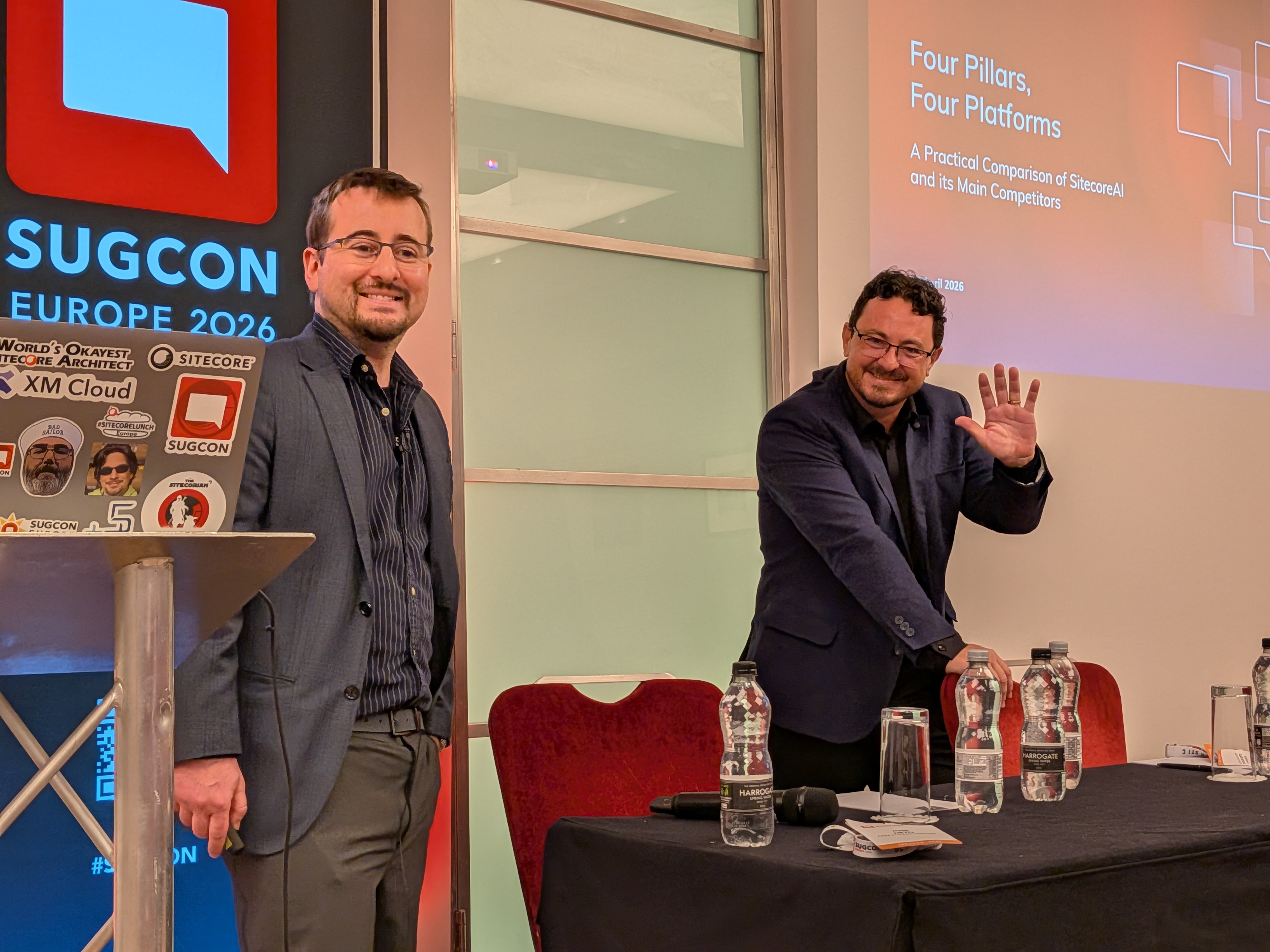
Four Pillars, Four Platforms: A Practical Comparison of SitecoreAI and Its Main Competitors — Rodrigo Peplau & Jose Neto
Rodrigo Peplau (Head of Arke Brazil) and Jose Neto (Solutions Architect, Arke) brought a platform-agnostic perspective to the Marketing Breakout at 10:20 AM. Working from a methodology of hands-on sandbox access and public documentation, they evaluated SitecoreAI against Adobe Experience Manager, Optimizely, and Contentstack across four pillars — each mapped directly to a Sitecore product.
Pillar 1 — Customising the DXP (App Studio): SitecoreAI scored ~4.8★. The shift from pipeline-level customisation to isolated Marketplace apps means platform updates cannot break customisations. App Studio provides a centralised hub with formal registration, management, and SaaS-safe isolation that competitors struggle to match.
Pillar 2 — Agentic Automation (Agentic Studio): A very tight race across all four platforms. Sitecore's advantage comes from being newer — it has learned from competitors' mistakes. Twenty-plus pre-built agents out of the box (blog writing, translation, research, AEO/GEO, account-based marketing), no-code configuration, human-in-the-loop approval workflows, brand-aware outputs, and collaborative Spaces.
Pillar 3 — Community Marketplace: Sitecore scored 3★ on ecosystem maturity (the marketplace is brand new, under 60 apps at time of analysis, versus competitors with 50–100+ apps since 2017). However, the growth potential is Sitecore's standout: 10+ years of hackathons, 200+ active MVPs, a strong partner network, and a curated-from-day-one approach with one-click install, pricing, and ratings visible. Sitecore scored 5★ on native install experience.
Pillar 4 — Connectivity & Integration (Sitecore Connect): Sitecore's clearest competitive lead. 1,000+ pre-built connectors, a full no-code/low-code recipe builder, enterprise-grade visibility (usage dashboards, failure tracking, concurrency queues, IP management), and a genuine iPaaS capability that no competitor currently matches at the same breadth.
Key message: SitecoreAI has shifted from "complex enterprise-only" to a platform that can genuinely serve mid-market organisations. Treat this analysis as a snapshot — the AI DXP landscape is moving fast enough that a 6-month revisit is already warranted.

Microsoft Agent Framework and Sitecore — Peter Clisby
In a 15-minute lightning slot at 11:35 AM, Peter Clisby explored the intersection of Microsoft's Agent Framework and Sitecore, examining how the two ecosystems can work together. The session covered the architecture of Microsoft's agentic tooling, where it maps onto Sitecore's own agentic capabilities, and what the combined stack unlocks for enterprise customers already invested in the Microsoft ecosystem.
From Pages to Decisions: Prepare yourself for SitecoreAI — Oleksandr Vasylenko
Oleksandr Vasylenko's Customer Showcase lightning talk at 11:35 AM reframed what the move to SitecoreAI actually means for organisations. The title says it all: SitecoreAI is not just a new CMS — it is a shift from managing pages to driving decisions. The session covered the mindset and process changes teams need to make before the technology migration begins, covering content modelling, governance, and the organisational readiness that determines whether a migration succeeds or stalls.
Mapping the AI features from XM Cloud and Stream to the new world of SitecoreAI — Robert McGovern
In the Marketing Breakout at 11:35 AM, Robert McGovern provided a practical mapping of where existing XM Cloud and Stream AI features land in the SitecoreAI world. With the platform evolving rapidly, many teams find it difficult to track which capabilities have moved, which have been consolidated, and what is genuinely new. This session offered a clear reference point for marketing and content teams navigating that transition.
Why Traditional Analytics Fall Short — and How Sitecore Changes the Model — Boris Brodsky
Boris Brodsky's 15-minute main stage slot at 11:55 AM challenged the analytics assumptions that most Sitecore implementations still rely on. Traditional web analytics were designed for a world of sessions and page views — not for the AI-driven, personalised, composable experiences that SitecoreAI now delivers. The session outlined where the gaps appear and how Sitecore's approach to analytics (and its CDP integration) closes them by moving from session-based measurement to individual behavioural understanding at scale.
Post-Quantum Cryptography — Why It Matters for Sitecore Developers (Right Now) — Harald Greve
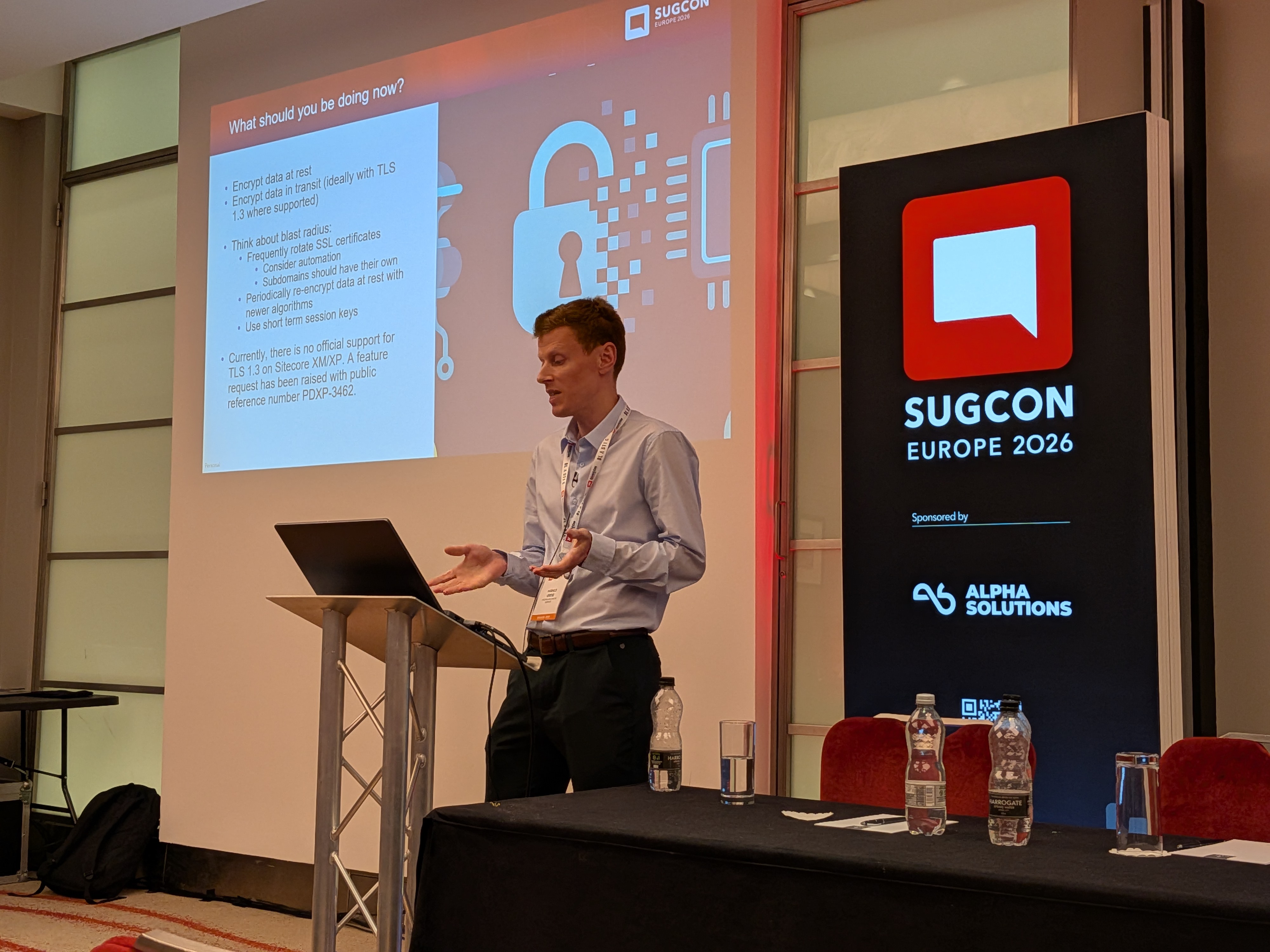
Harald Greve, Engineering Manager at Macmillan Cancer Support, delivered one of the most eye-opening sessions of the Customer Showcase at 11:55 AM. The subject: why the encryption that protects your Sitecore site today will be broken by quantum computers — and why you need to act now, not when quantum computing arrives.
The core threat: quantum computers use qubits that can be 0, 1, or both simultaneously (superposition). This enables them to trivially reverse the prime-number mathematics that underpins RSA encryption. Most current TLS traffic, if captured today, can be stored and decrypted later once quantum capability is ready. This is not a theoretical future concern — nation states and organised criminal groups are already doing it.
"Harvest now, decrypt later" — for organisations like Macmillan Cancer Support that hold large volumes of special-category health data, TLS 1.2 traffic being intercepted today represents a real and present regulatory risk.
Key dates:
- 2029: Microsoft releases quantum-safe capabilities in Azure and Microsoft 365.
- 2029: TLS certificate lifetime drops to 47 days (currently ~200 days, falling to 100 next year).
- Now: TLS 1.2 traffic being intercepted is already at risk from future decryption.
What Sitecore teams should do:
- Move to TLS 1.3 — this is the most important step. Data captured over TLS 1.3 cannot be retrospectively decrypted, even by a quantum computer. For teams migrating to SitecoreAI, Vercel's edge network handles all connections via TLS 1.3 automatically. For XM/XP teams, there is currently no native TLS 1.3 support — a feature request has been raised.
- Encrypt all data at rest and plan to re-encrypt with updated algorithms.
- Automate certificate rotation — manual rotation at 47-day intervals is not viable. Tools like GlobalSign TLS Connect can automate this.
- Use short-term session keys to limit blast radius.
- Run SSL Labs against your Sitecore site to identify weak cipher suites and your current TLS rating (free tool).
Key takeaway: Be proactive, not reactive. The organisations that act before 2030 will be the ones that avoid the exposure. For teams migrating to SitecoreAI, this is one more reason to prioritise the move — TLS 1.3 at the edge is included by default.

Your Content Model Is Blocking AI — Vasiliy Fomichev
In the Marketing Breakout at 11:55 AM, Vasiliy Fomichev addressed a structural problem that many teams don't realise they have: the content model they designed for human editors is actively preventing AI agents from working effectively. When content is fragmented, inconsistently structured, or locked into monolithic fields, AI can't parse intent, can't generate reliably, and can't be personalised meaningfully. The session covered the specific modelling decisions — field granularity, taxonomy, template inheritance — that determine whether AI capabilities work for you or against you.
The SitecoreAI Migration Middle State Nobody Talks About — Martin Miles
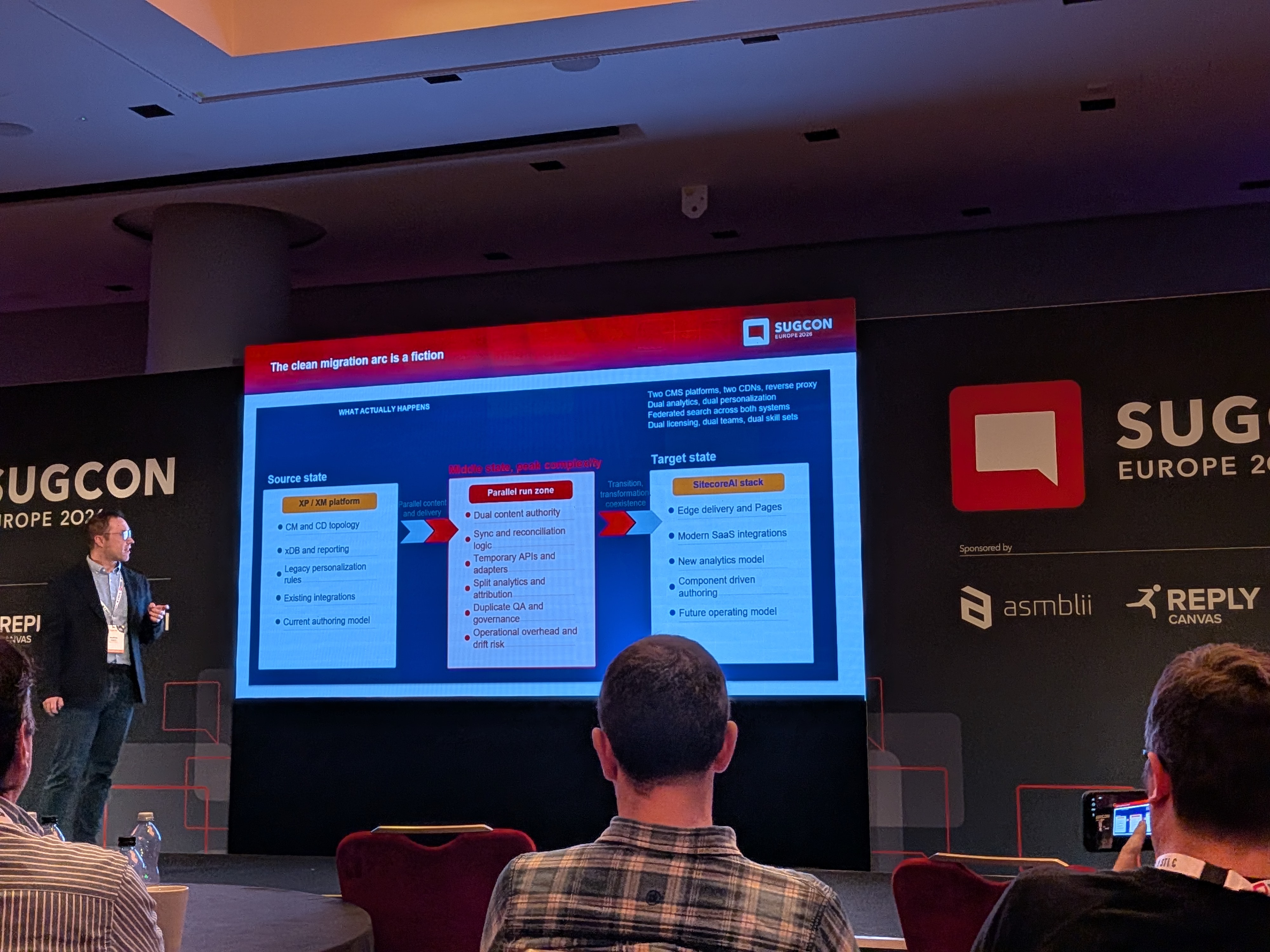
Martin Miles, Sitecore Architect, delivered one of the most honest and practically useful sessions of the day in the main stage lightning slot at 12:15 PM. His topic: the migration middle state — the 6-to-24-month period where XP and SitecoreAI coexist simultaneously, which is where most migration pain actually occurs and which nobody budgets for.
Five truths nobody tells you before you start:
- The middle state is more complex than either XP or SitecoreAI alone — possibly both combined.
- Nobody budgets for it. Real costs often run 30–50% over original estimates during this phase.
- Content freezes become risky — short, sharp freezes (hours, not weeks) are the only viable approach.
- The SaaS platform keeps evolving while you migrate. Expect the target to move.
- Personalisation debt does not resolve itself — you cannot carry XP personalisation rules one-to-one into CDP.
The four major friction points:
- Content migration limits: No direct database access in SaaS — everything goes through the authoring API, limited to ~2–3 requests/second. Some migration tools do not preserve GUIDs, breaking all rich text and link field dependencies. Workaround: run migration SQL against a local Docker container with the legacy database loaded to bypass API rate limits for the initial bulk sync.
- Routing complexity: Use Azure Front Door (or equivalent) as a single gateway to split traffic by path — new platform for migrated sections, legacy for the rest.
- Analytics split-brain: XDB and CDP have fundamentally incompatible data models. Historical data cannot be migrated. Marketing teams must work across two dashboards simultaneously. Expect — and communicate — an analytics gap.
- Personalisation drift: Start CDP engagement data collection from day one, even before the new platform is live. Never replicate XP personalisation rules one-to-one into CDP — this is an anti-pattern.
Architecture decisions to make on day one:
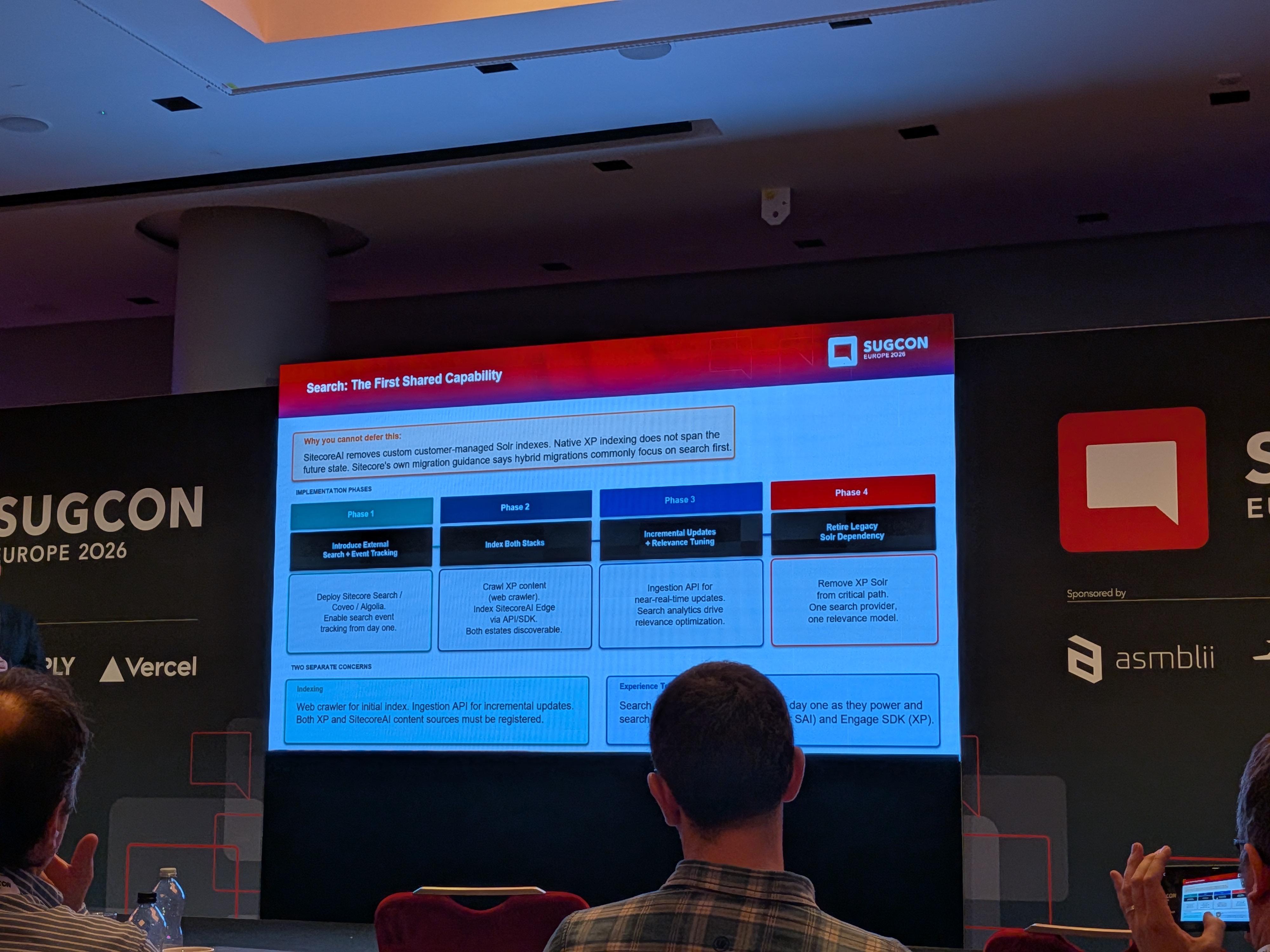
- Search: Both XP and SitecoreAI must be indexed by a single external search provider simultaneously from the very start. Do not use Sitecore's internal search for either system during the middle state.
- Authentication: Use an external identity provider (Microsoft Entra, Auth0). Do not share JWT tokens between the two stacks. Test login AND logout across both systems.
Key takeaway: Design the middle state intentionally before you start. The organisations that navigate it well are the ones that planned for it as a first-class phase — not an awkward gap between two clean states.

Upgrading 13 Solutions from Sitecore XP 9.3 to XM 10.4.1 in a Matter of Weeks — Peter Procházka
Peter Procházka's Customer Showcase slot at 12:15 PM delivered a remarkable case study in upgrade velocity: taking 13 separate Sitecore solutions from XP 9.3 to XM 10.4.1 in what would normally be considered an impossibly short timeframe. The session covered the tooling, automation, and process discipline that made it possible — and the lessons that apply to any team facing a multi-instance upgrade backlog.
The secret life of intelligent content — Jacqueline Baxter
Jacqueline Baxter's Marketing Breakout lightning talk at 12:15 PM explored what "intelligent content" actually means in the SitecoreAI world — content that knows where it is being used, adapts to context, and can be composed, personalised, and surfaced by AI without manual intervention. The session examined the structural and semantic properties that make content "intelligent" and how to plan for them from the authoring stage.
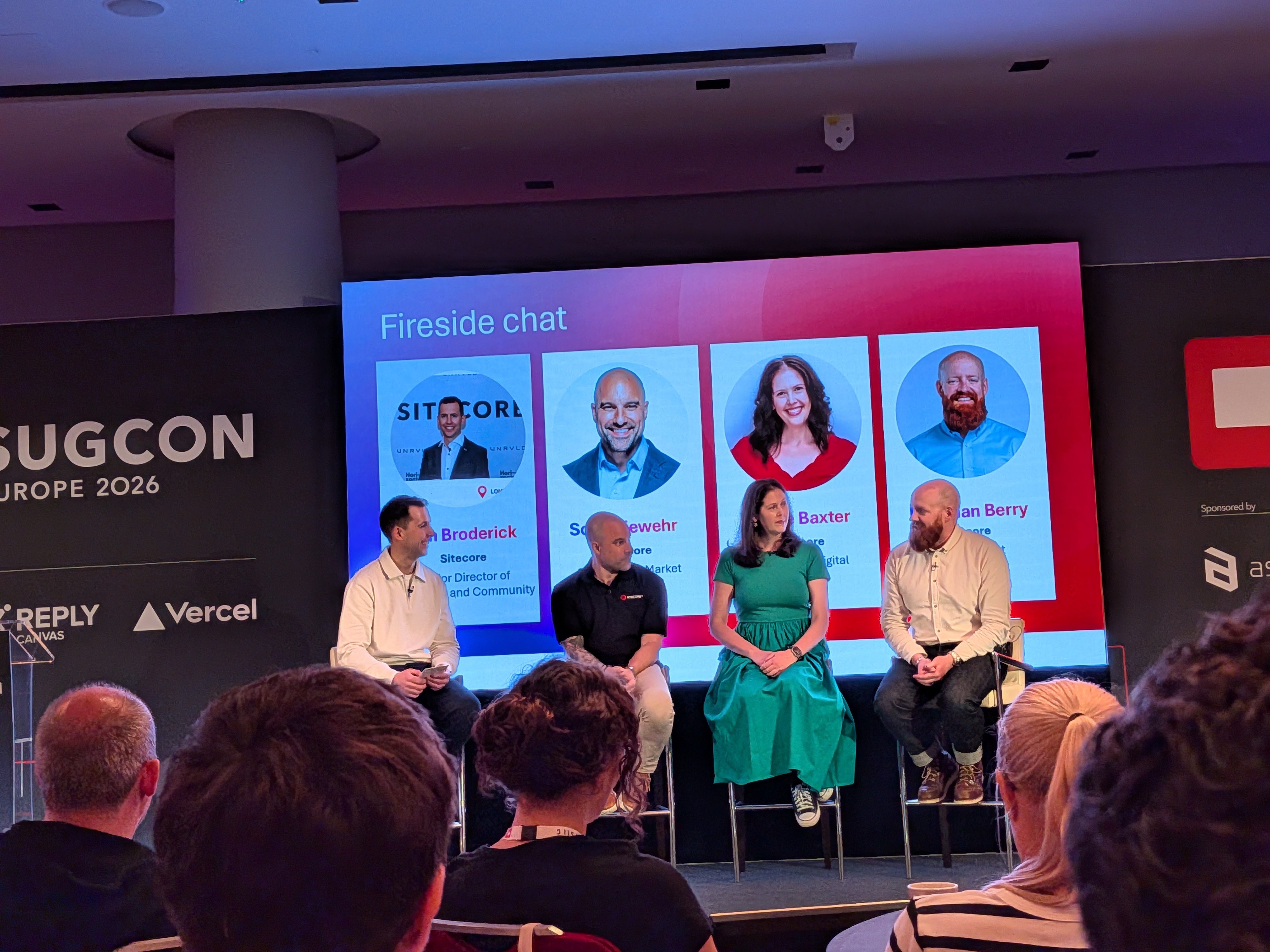
Vibesitecoring: From Figma to Sitecore with Zero Lines of Code — Anton Tishchenko & Volodymyr Nikitin
The afternoon main stage opened at 1:30 PM with one of the most imaginatively titled sessions of the conference. Anton Tishchenko and Volodymyr Nikitin demonstrated a workflow they called "vibesitecoring" — taking a Figma design and delivering a fully functional Sitecore component with zero hand-written code. Using AI tools to bridge the design-to-development gap, the session showed that the bottleneck between design intent and live experience is collapsing. For teams that have struggled with the feedback loop between designers and developers, this approach reframes what "developer experience" means entirely.
SitecoreAI — the future of your data — Derek Fahey
Derek Fahey's Customer Showcase session at 1:30 PM explored how SitecoreAI changes the data story for enterprises — not just how content is managed, but how behavioural, interaction, and performance data flows through the platform and becomes actionable. With CDP at the centre, the session covered how data collected across channels feeds personalisation, informs AI agent decisions, and surfaces in the analytics and goals framework that Sitecore is building out as a platform capability.
Reimagining Your Team for SitecoreAI: A Marketer and Developer Playbook for Working With Agents — Rick Bauer
Rick Bauer's Marketing Breakout at 1:30 PM addressed the organisational dimension of SitecoreAI adoption. When AI agents can write content, manage campaigns, research topics, and suggest optimisations, the roles of marketers and developers evolve significantly. The session offered a practical playbook for how teams should restructure their workflows, ownership boundaries, and skill sets to make the most of agentic capabilities — without the confusion and duplication that often comes when AI is introduced into established processes.
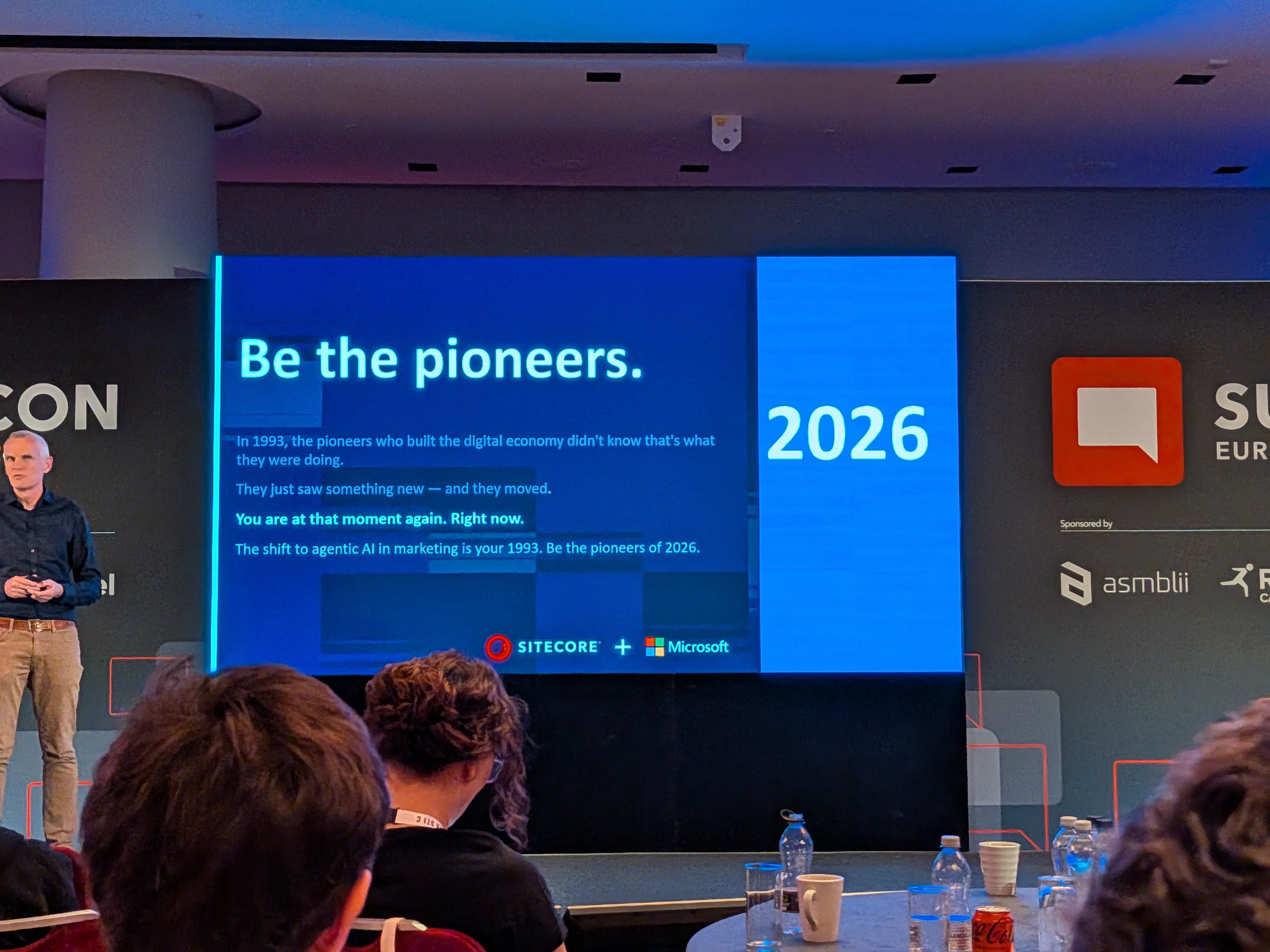
Building SitecoreAI based Portals with Extranet Security through a Marketplace App — Jesper Balle
At 2:25 PM on the main stage, Jesper Balle tackled authenticated portal experiences on SitecoreAI — a common requirement for B2B and customer-facing sites that the standard headless setup doesn't address out of the box. The session covered how to layer extranet security (login-gated content, role-based access) onto a SitecoreAI site using a Marketplace App pattern, keeping customisation SaaS-safe and upgradeable while delivering a seamless authenticated experience.
From AI Features to Agentic Workflows: Inside Sitecore's AI Vision — Andrei Pop
Andrei Pop's Customer Showcase session at 2:25 PM provided a rare inside view of Sitecore's AI roadmap and the reasoning behind it. The shift from "AI features" (individual capabilities bolted onto existing workflows) to "agentic workflows" (AI that orchestrates multi-step processes autonomously) represents a fundamental change in how the platform is being designed. The session mapped where SitecoreAI currently sits on that spectrum, what is in active development, and how the architecture is being built to support increasingly autonomous content and marketing operations.
Unified Brand Management Hub with AI & Configurable Dashboards — Hande Bodart & Swaralee Wad
Hande Bodart and Swaralee Wad presented one of the most forward-looking product roadmap sessions of the day in the Marketing Breakout at 2:25 PM. They started from a relatable problem: it's Monday morning, a brand manager wants an overview of their brand — campaigns, channel performance, pending briefs, published assets, market signals, AI discoverability rankings — and has to visit six different screens to get it. For companies managing multiple brands, the problem multiplies.
The Unified Brand Hub solves this by making the connections between all these concepts visible in a single, actionable place. Key capabilities shown:
- Multi-brand navigation with a quick switch between brands from a single hub, each brand with its own default dashboard.
- At-a-glance visibility of channels, campaigns, goals framework status, briefs awaiting review, market signals, and AO/GEO rankings — all on one screen.
- Brand-level signal definition, with the ability to trigger agentic actions (like a content generation agent) directly from a signal insight without leaving the hub.
- Consistent brand tagging across briefs, campaigns, and channels — so the brand context always follows the content.
Swaralee Wad presented the extensibility story: the Brand Hub is designed to be made your own. External data (CRM pipeline, Google Analytics, ERP stock readiness) can be pulled in through Marketplace apps. Internal Sitecore data (content awaiting legal review, assets blocked by disclosures) can be surfaced as custom widgets. Custom AI agents built outside Sitecore can be embedded directly into the brand dashboard.
The configurability story goes further still: individual users can personalise their own dashboard view (reordering widgets, filtering to overdue campaigns only, switching to compact view) and share configured views with teams. One brand dashboard consumed in multiple ways by different roles.
Looking ahead: the vision goes beyond brands as an organisational unit — towards flexible hubs that group by category, business unit, product, or market. And beyond surfacing insights, towards an AI companion that interprets those insights and helps you decide what to do next.

Practical Web Security for Modern Headless Sitecore: Lessons from the Field — Piers Matthews
Piers Matthews, CTO of Data Leaders (with 20+ years of architecture experience and 50+ client engagements), took the main stage at 3:40 PM with a session that was immediately useful — covering the specific security misconfigurations that appear repeatedly in headless Sitecore implementations in the wild.
The core insight: headless architecture is not insecure by default — it is distributed by default. Between all the components, APIs, and trust boundaries of a composable headless site, there are more places to make small mistakes. And OWASP has confirmed it: in their current Top 10, Security Misconfiguration is number two (up from five), and 100% of apps tested had at least one misconfiguration that needed addressing.
Control 1 — Security Headers and Content Security Policy
Security headers tell the browser how to behave when loading your site. In a headless Sitecore setup, you are responsible for setting them at every layer you own: the rendering host (Next.js on Vercel), custom APIs and middleware, third-party scripts. The two most commonly misconfigured:
- HSTS (HTTP Strict Transport Security) — forces HTTPS. Critical pitfalls: max-age too short (needs at least 12 months), missing
includeSubDomains(covers uat.mysite.com, not just www), and missingpreloadwhich embeds the HTTPS requirement into browser updates so even the first connection is secure. - Content Security Policy (CSP) — restricts what resources the browser can load. CSP is the hard one, because it requires cataloguing every script, style, and API connection your site makes. Recommended deployment: four phases — audit all connections (AI tools are surprisingly good at this), deploy in report-only mode, tune based on what would be blocked, then enforce. Use the
report-todirective to receive violation reports from production.
Control 2 — Secrets and Tokens
15.1 million secrets were exposed on GitHub in 2025, up 35% year-on-year — partly driven by AI coding assistants that include secrets in prompts to get past authentication checks. The key rules: never use NEXT_PUBLIC_ prefix for anything secret (it goes into the client bundle), avoid default fallback values that can end up client-side, use minimum-access tokens from day one (teams that start in POC mode with full-access tokens rarely go back to tighten them), and separate tokens by environment and type. Enable push protection in your repo to catch secrets before they are committed.
Control 3 — WAF and OWASP Rules Without Breaking the Site
Default WAF/OWASP rules break CMS traffic — rich text editors sending HTML in requests, form fields with special characters, cookie values — and teams respond by disabling rules too broadly. The correct approach: tune by route and exact use case, using narrow exclusions (e.g., disable a specific SQL injection rule only for a specific path when the request body contains a specific field, not for the entire site). Maintain separate WAF profiles for public-facing and non-public environments, and for websites versus APIs.
Control 4 — Continuous Security Testing in DevOps
Security testing should be a gate in the pipeline, not a quarterly pen test that finds problems months after they shipped. The recommended tool chain: SAST (static code scanning — SonarQube, GitHub Advanced Security) at build time, DAST (dynamic application security testing — automated penetration simulation) post-deployment to a test environment, secret scanning integrated with every PR, and dependency scanning to catch vulnerable transitive dependencies (the Axios supply-chain attack, where 7 million weekly downloads were compromised via a malicious dependency addition, was cited as a recent example). Also: have a well-tested hot-fix process before you need it — not figuring it out during a critical CVE incident.
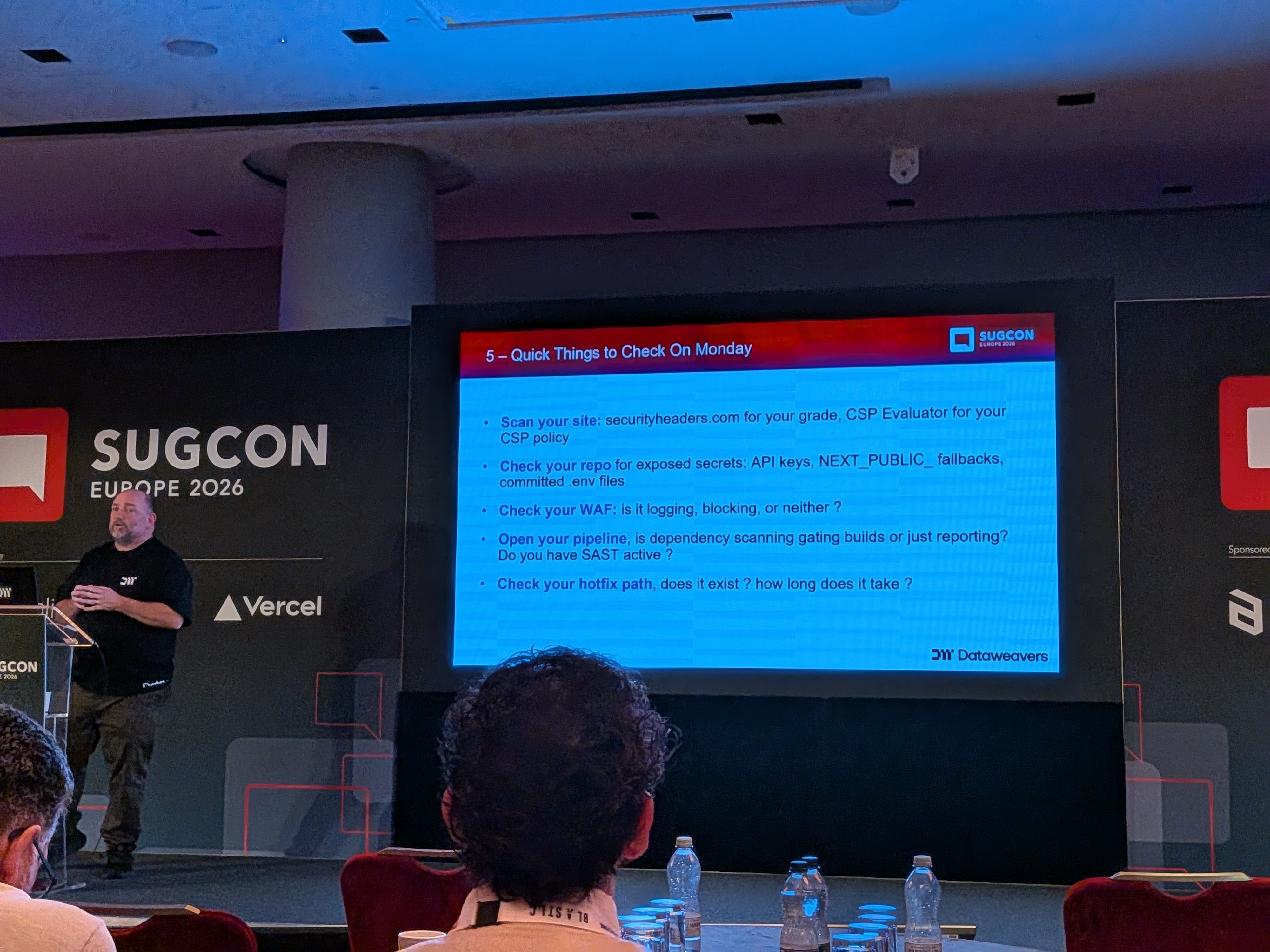
Five things you can do on Monday: (1) Check your security headers at securityheaders.com and validate your CSP at CSP Evaluator. (2) Scan your repo for exposed secrets. (3) Verify your WAF is in blocking mode, not just detection mode. (4) Open your pipeline and check whether dependency scanning is integrated. (5) Test your hot-fix process — make sure you can patch production without breaking your entire DevOps flow.
Enterprise AI — Foundations for a Strong AI Foundation — Klaus Petersen
Klaus Petersen's Customer Showcase session at 3:40 PM addressed the question that sits behind every AI implementation: before you can build AI-powered experiences, you need a solid foundation. The session covered the data, governance, and architectural prerequisites that determine whether enterprise AI initiatives succeed or stall — and how Sitecore fits into the broader AI infrastructure picture for large organisations.
Building AI-powered Marketplace Apps with Vercel AI SDK — Igor Zharikov
The Marketing Breakout at 3:40 PM saw Igor Zharikov explore the specific combination of the Vercel AI SDK and SitecoreAI Marketplace for building AI-powered custom apps. The Vercel AI SDK provides a powerful abstraction over language model providers — streaming, tool use, structured outputs — and integrating it with the Marketplace extensibility layer opens up a wide range of possibilities: content analysis widgets, AI-driven search experiences, on-brand generation tools, and more, all delivered through the Marketplace's sandboxed, SaaS-safe app model.
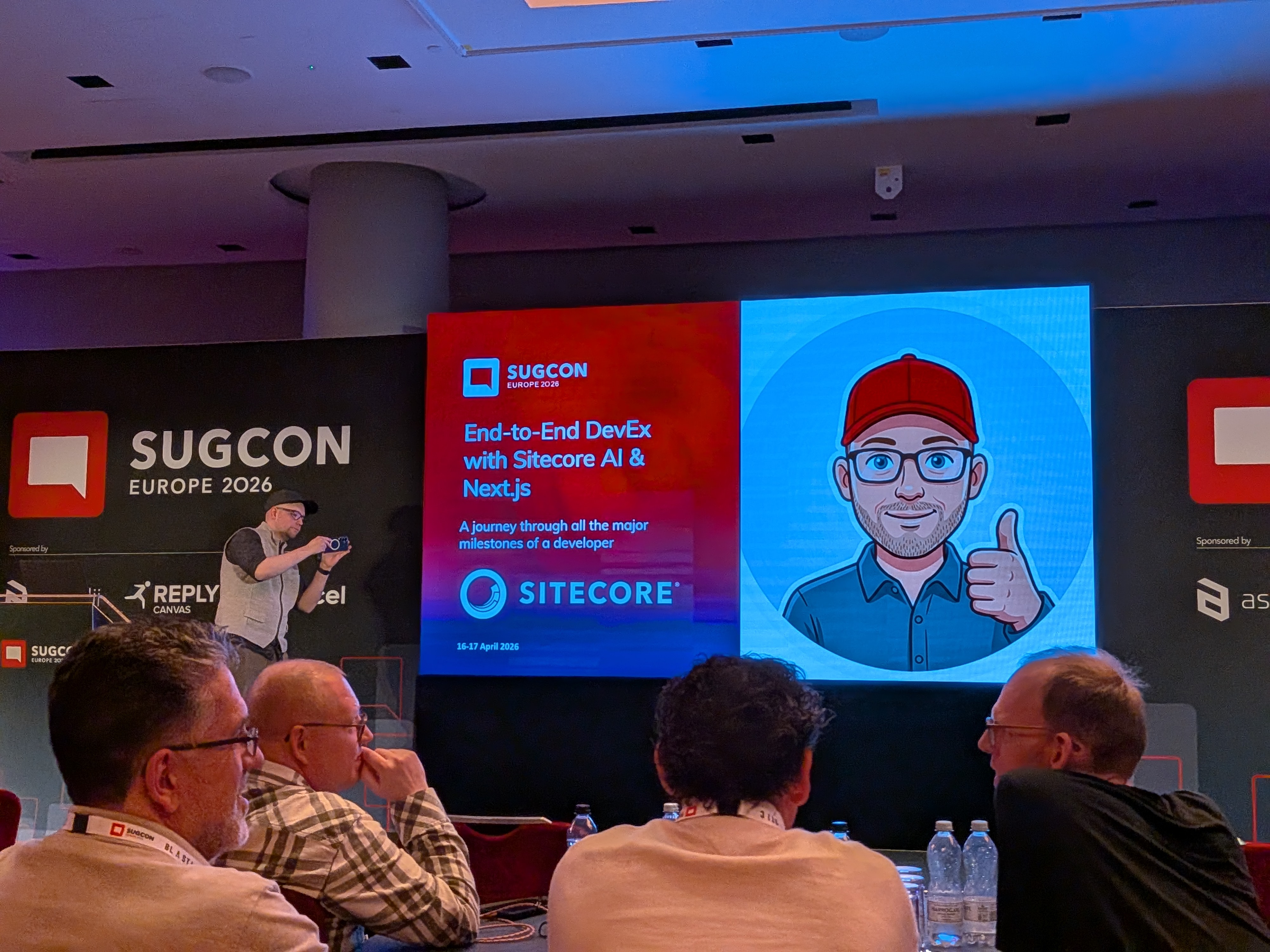
End-to-End DevEx with SitecoreAI & Next.js — Christian Hahn
Christian Hahn closed the main stage at 4:35 PM with a session that was equal parts demo and lessons-learned. As one of the DevEx leads at Sitecore, he walked through the full end-to-end experience of building a SitecoreAI site — from initial scaffolding to production-ready components — and was refreshingly honest about every rough edge he encountered along the way.
The development approach: V0-driven (AI-generated React/Next.js code from design prompts), with the output merged into a clean SitecoreAI starter kit. Key workflow notes:
- Decoupled deployments are now standard. The CM server and the rendering/editing host are deployed independently — they can live in the same or different repositories and be spun up individually. Familiarise your team with this pattern; it is the way forward.
- Scoped Context IDs are a critical security feature. Before scoped IDs, a single context ID was used for both client-side tracking and server-side content fetching — meaning a hijacked client-side call could expose all Experience Edge content. Now you create separate scoped IDs for each resource type (tracking = client-side, content = server-side, treated as a security token and never exposed).
- Starter kit cleanup: Remove all demo site items, the SP scripts, and any example naming from the environment immediately. Replace the editing host list in the XML build config with just your host. Rename the app — "example" in production-bound environments is a signal of skipped housekeeping.
- Component mapping: Use the CLI config to exclude framework and internal folders from the component map. An oversized component map that registers every third-party component creates confusion; keep it clean.
- AI-assisted transforms: Starting from V0's static React/Next.js code, a single Cursor prompt — "transform all these components to Content SDK components" — successfully converted 20+ components correctly in one pass. The practical reality of AI-assisted development at the component level.
Common errors encountered and their resolutions:
Cannot destructure property 'title' of item as it is undefined— integrated GraphQL query too complex; Experience Edge silently returns nothing for overly nested queries. Simplify the query first.- Hydration errors from V0-generated code where the component variant was named
headerinstead ofDefault— the first variant must always be called Default. - Missing
'use client'directive on components using client-side hooks — server components that use client APIs fail silently until the error surfaces in a hard-to-trace place. - Vercel deployment showing 404 with framework set to "Other" instead of Next.js — the build output directory and build command were wrong. Always explicitly configure Next.js as the framework in the Vercel project settings.
- A decorative CSS element (from V0's generated gradient) covering the inline editing overlay — invisible in normal view but blocking edit mode. Examine all generated markup before assuming a Sitecore configuration problem.
On the Content SDK and publishing: the team has absorbed the Cloud SDK into the Content SDK, adding rules, skills, agents, and events. The starter kit now ships with Cursor rules, skills, and an agents file — think of it as a "politeness rules" layer that tells AI coding tools where to find things, what not to touch, and how components should be structured. These are being moved out of the starter into an installable, composable set of skills that can be published publicly and installed per-project.
On Next.js major upgrades: Christian demonstrated using the Documentation MCP combined with Cursor to handle the Next.js 15 → 16 migration. A single prompt — "Use the docs MCP, find the right article, and do your shift" — resulted in a complete, correctly refactored codebase 15–20 minutes later, including absorbed Cloud SDK changes, replaced experimental cache APIs with their stable equivalents, and correctly refactored customisations. With JSS end-of-life approaching, AI-supported upgrade paths are becoming a practical necessity.
On publishing (On-Demand Static Regeneration / OSR): Christian demonstrated a working OSR implementation for publishing v2 — the edge runtime publishing approach. By wrapping the standard client.getPage() call with Next.js cache tags (extracting all component data source IDs from the layout response and tagging each fetch), Next.js automatically tracks which pages depend on which content items. When a banner is published, a single revalidateTag(dataSourceId) call tells Next.js to revalidate all pages that referenced that item — without a full site republish and without the "double fetch" workaround required in Next.js 15. A full example is being prepared for release in the Content SDK.
Exploring Sitecore AI Publishing: How to Make Your Authors Love Publishing Again — Simon Hauck
Simon Hauck, Lead Sitecore Engineer at Merkle, covered the publishing and cache invalidation story in detail — a topic that is nearly always the source of the most persistent author complaints in any headless Sitecore implementation.
The root cause of publishing frustration is not Sitecore XM Cloud itself and not the authors. It is architectural: Sitecore correctly serves updated content to Experience Edge. What is still serving the old content is the Next.js head application's cache. Cache validation is a developer responsibility that does not come out of the box.
The recommended approach: combine ISR (Incremental Static Regeneration) with on-demand revalidation via webhooks.
- Step 1: Author publishes in XM Cloud → content pushed to Experience Edge.
- Step 2: Sitecore fires a webhook with the item GUID(s) that changed. Always include a secret in the webhook header so your endpoint can verify the call is legitimate.
- Step 3: The Next.js API route receives the webhook, extracts the content IDs (including layout suffix variants), and calls
revalidateTag()for every cache tag linked to those IDs. - Step 4: On the next request, those pages serve fresh content. ISR runs alongside this as a safety net — if a webhook fails, content eventually refreshes.
The critical implementation detail is tagging content correctly from the start. Wrap your standard Sitecore client calls to also extract all data source IDs from the layout data, tagging each fetch with its Sitecore item ID. Page-specific and shared components tag naturally; global components (header, footer, navigation) need special handling since they may not appear in layout data. The ideal solution: make navigation part of your layout data so it tags automatically. If that's not possible, tag all pages with the global component ID at build time and accept page-level revalidation granularity.
Common pitfalls: an unsecured webhook endpoint that anyone who discovers the URL can use to clear all caches; using Preview API data instead of Published data during development (Preview data bypasses ISR entirely); and unmonitored webhooks that silently stop firing for months while authors assume the cache is broken. Monitor and log every webhook call to persistent storage.
Key Themes Across the Day
Stepping back from the individual sessions, several themes ran clearly through the entire day:
- AI is now an implementation reality, not a roadmap item. Every track — developer experience, migrations, marketing, security — was discussing how AI is changing the work today, not hypothetically.
- MCP as the integration standard. The Model Context Protocol appeared as a thread across multiple sessions. Its role as the connective tissue between AI tools and Sitecore is becoming foundational.
- Security is a headless-first problem. The move to headless distributes security responsibilities in ways that teams have not fully adapted to. Security misconfiguration is now the second most common attack vector, and every Sitecore team needs to own that problem explicitly.
- The migration middle state needs a plan. Whether migrating from XP, XM, or consolidating multiple platforms, the in-between period is where most real-world pain occurs — and it needs to be designed intentionally, not treated as a temporary inconvenience.
- AI visibility is a marketing discipline. GEO and AEO are real, they are happening now, and they require changes to how content is structured, published, and maintained — not just marketing strategy but architecture decisions too.
- The developer experience is being rebuilt from first principles. Decoupled deployments, scoped context IDs, AI-assisted component transforms, OSR publishing, and the Developer MCP on the roadmap all point to a fundamentally improved DX story that is still being written.
Closing Thoughts
SUGCON Europe 2026 felt different from previous editions — not because the energy or community warmth was any less (it never is), but because the gap between "what Sitecore is building" and "what practitioners are building with it" has never been smaller. Sessions from product teams and community members were drawing from the same reality: SitecoreAI is in production, agents are being used for real content operations, and the developer experience is being reinvented in real time.
The honest sessions — Martin Miles on migration pain, Piers Matthews on security misconfigurations in the wild, Christian Hahn on the actual errors he hit building a real site — are the ones that stay with you. They are also the ones that SUGCON exists to make possible. See you in 2027.